

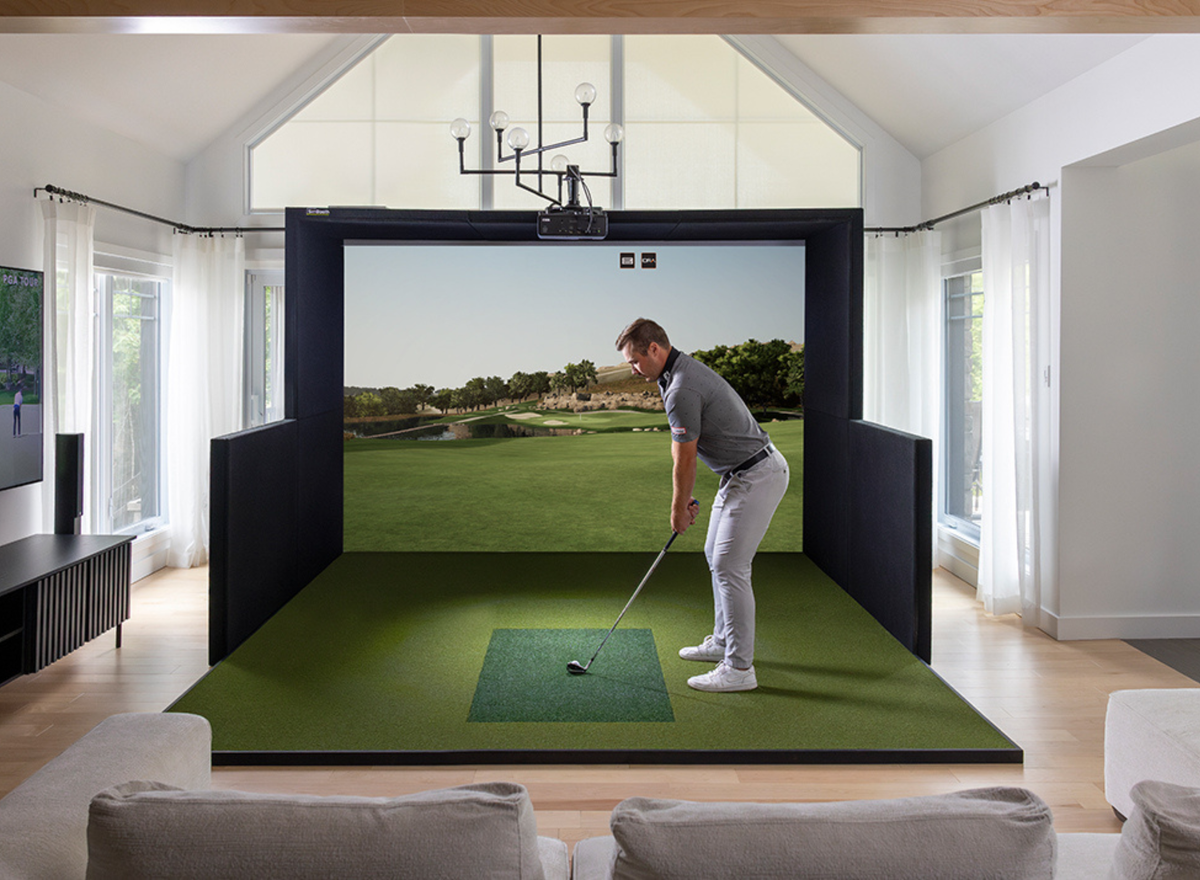
10 Golf Simulator Mistakes to Avoid Before You Buy
Buying a golf simulator is an exciting investment, but it's also one of the biggest purchases many golfers will make for their home. With so many launch monitors, enclosures, projectors, software options, and accessories available, it's easy to overlook important details that can impact your experience.
The good news? Most costly mistakes are completely avoidable with a little planning.
Whether you're building a simulator in your garage, basement, or dedicated golf room, this guide highlights the 10 most common golf simulator mistakes and how to avoid them, helping you make confident buying decisions from the start.
1. Not Measuring Your Space First
One of the biggest mistakes golfers make is choosing equipment before confirming their room dimensions.
Your available space determines nearly every aspect of your simulator, including:
- Launch monitor options
- Enclosure size
- Projector placement
- Screen dimensions
- Ceiling height requirements
- Left- and right-handed compatibility
Before shopping, measure:
- Room width
- Room length
- Ceiling height
- Obstructions such as garage door tracks, bulkheads, beams, lighting fixtures, and windows
Planning around your space first helps ensure every component works together.
Related Reading: Golf Simulator Room Size Guide: How Much Space Do You Really Need?
2. Buying the Wrong Launch Monitor
Not every launch monitor is designed for the same type of golfer.
Some are built for dedicated indoor simulators, while others excel as portable devices for both indoor and outdoor practice.
Before choosing a launch monitor, consider:
- Indoor vs. outdoor use
- Budget
- Desired ball and club data
- Available room depth
- Right- and left-handed players
- Software compatibility
Choosing the right technology from the start can save both money and frustration.
Related Reading: Camera vs. Radar Launch Monitors: Which Is Right for You?
3. Choosing a Projector Without Considering Throw Distance
A projector may have excellent specifications, but if it can't produce the correct image size from your available mounting location, it won't perform as expected.
Before purchasing a projector, determine:
- Screen size
- Aspect ratio
- Throw distance
- Throw ratio
- Mounting location
Short throw projectors are often the preferred choice for home golf simulators because they can create a large image while minimizing shadows.
Related Reading: Golf Simulator Projector Guide: How to Choose the Right Projector
4. Underestimating Gaming PC Requirements
Many golfers focus on the launch monitor and projector while overlooking the computer that powers the simulator.
Your gaming PC has a direct impact on:
- Graphics quality
- Frame rate
- Software performance
- Future upgrade potential
If you plan to run demanding software like GSPro, FSX Play, or E6 Golf 26 at higher resolutions, make sure your PC meets or exceeds the recommended specifications.
Investing in a capable gaming PC now can provide a smoother experience and extend the life of your simulator.
Related Reading: Do You Need a Gaming PC for a Golf Simulator?
5. Focusing Only on Price
It's tempting to choose the least expensive components, but the cheapest option isn't always the best value.
A low upfront price can sometimes lead to:
- Limited software compatibility
- Fewer upgrade options
- Lower-quality components
- Additional replacement costs later
Instead of asking, "What's the cheapest golf simulator?" ask, "Which setup best fits my goals and budget?"
A well-planned system often delivers better long-term value than buying solely based on price.
6. Ignoring Software Compatibility
Your launch monitor doesn't automatically work with every golf simulator software platform.
Before buying, confirm compatibility with the software you want to use, whether that's:
- GSPro
- E6 Connect
- E6 Golf 26
- Awesome Golf
- FSX Play
- Trackman Performance Studio
Software compatibility can influence both your overall experience and future upgrade options.
Related Reading: Best Golf Simulator Software (2026): GSPro vs. E6 Software vs. Awesome Golf vs. Trackman vs. FSX Play
7. Choosing the Wrong Impact Screen or Enclosure
Your impact screen affects both image quality and durability, while your enclosure helps create an immersive playing environment.
Before selecting an enclosure, consider:
- Screen size
- Room dimensions
- Ceiling height
- Permanence of the installation
- Whether the space serves multiple purposes
For example, a retractable enclosure may be ideal for a shared garage, while a fixed enclosure may be the better option for a dedicated simulator room.
8. Forgetting About Flooring and Turf
The flooring beneath your simulator is often overlooked, but it plays a major role in comfort, durability, and overall appearance.
Think about:
- Standing comfort
- Hitting surface
- Turf thickness
- Foam underlay
- Cable management
- Transition between flooring materials
Planning your flooring early helps create a more professional-looking simulator and reduces the need for future modifications.
9. Not Planning for Future Upgrades
Your needs may change over time.
Many golfers start with a basic setup and later decide to upgrade their:
- Launch monitor
- Projector
- Gaming PC
- Software
- Impact screen
- Turf
Choosing components that allow for future upgrades can help protect your investment.
10. Trying to Piece Everything Together Yourself
Building a golf simulator can certainly be a rewarding DIY project, but compatibility between components isn't always obvious.
A complete simulator package ensures that key components are selected to work together, including:
- Launch monitor
- Projector
- Gaming PC
- Impact screen
- Enclosure
- Software
- Turf
Whether you purchase a complete package or build a custom setup, having a clear plan before buying can help avoid costly mistakes and unnecessary upgrades.
Quick Golf Simulator Buying Checklist
Before purchasing your simulator, ask yourself:
✔ Have I measured my room?
✔ Is my ceiling high enough?
✔ Does my launch monitor fit my playing style?
✔ Is my projector suitable for my screen size?
✔ Does my gaming PC meet the software requirements?
✔ Have I confirmed software compatibility?
✔ Have I planned my flooring and turf?
✔ Will my setup work for both left- and right-handed golfers?
✔ Can I upgrade components later?
✔ Have I considered the complete system rather than individual products?
Frequently Asked Questions
What is the biggest mistake people make when buying a golf simulator?
The most common mistake is purchasing equipment before measuring the available space. Room dimensions influence nearly every component, from the launch monitor to the projector and enclosure.
Can I build a golf simulator myself?
Yes. Many golfers successfully build their own simulators. However, it's important to ensure that all components are compatible and suited to your room dimensions and playing goals.
Is a golf simulator worth the investment?
For golfers who want to practice year-round, improve their game, or enjoy golf from home, a golf simulator can provide significant value. Choosing the right equipment from the start helps maximize that investment.
Should I buy components separately or as a package?
Both options can work well. A complete package simplifies the buying process by ensuring compatibility, while a custom build offers more flexibility for golfers with specific preferences.
Final Thoughts
Building a golf simulator is about much more than selecting a launch monitor or projector. Every component from your room dimensions and software to your flooring and enclosure works together to create the overall experience.
By avoiding these common mistakes, you'll be in a much better position to build a simulator that's reliable, enjoyable, and suited to your goals for years to come.
If you're unsure where to start, our team at PinPoint Golf Sims can help you compare launch monitors, projectors, software, and complete golf simulator packages to find the right solution for your space, budget, and playing style. Feel free to call us at (519) 904-4460 or fill out our contact form here CONTACT US.

Share:
Golf Simulator Projector Guide: How to Choose the Right Projector for Your Setup (2026)
Build Your Own vs. Pre-Curated Golf Simulator Package: Which Is Right for You?