

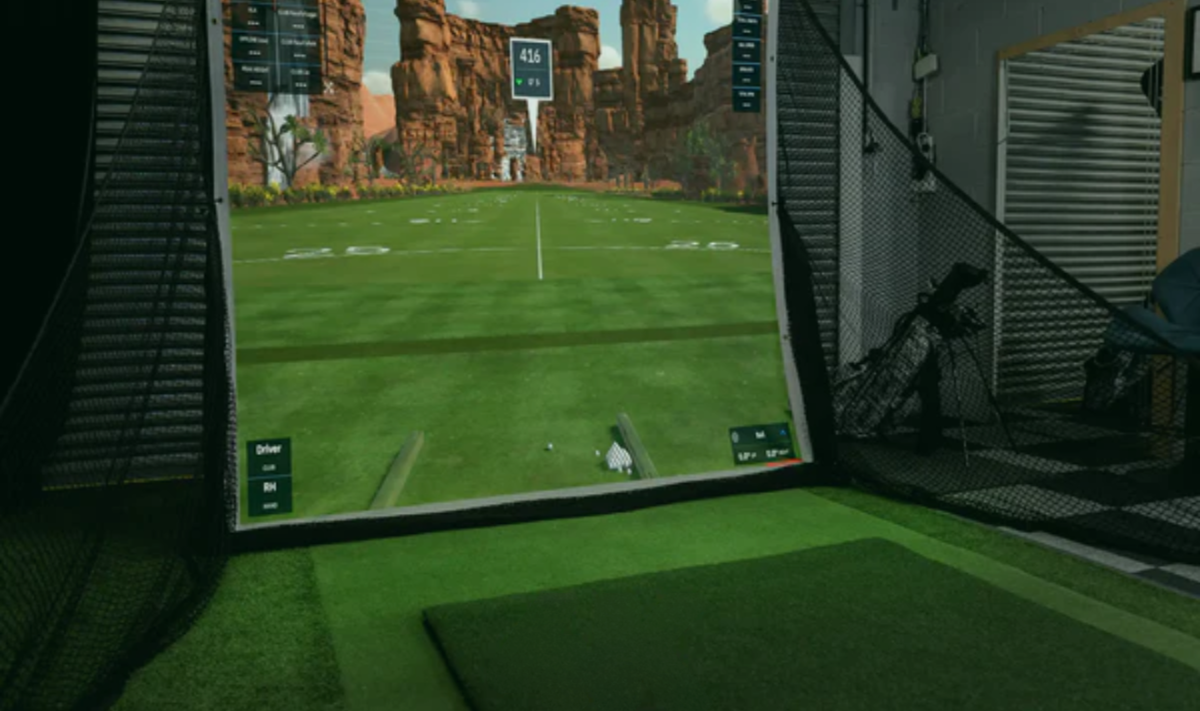
You don't need to spend $10,000 or more to build a home golf simulator.
With a budget of $5,000 or less, you can put together a capable setup for playing simulator golf, practicing at home, and getting useful club and ball data. The key is knowing where to spend your budget, and where you can save.
At this price point, there isn't one golf simulator that's best for everyone. Your ideal setup will depend on your available space, the launch monitor you choose, whether you already own a computer or tablet, and how immersive you want your simulator to be.
In this guide, we'll look at how to build the best golf simulator under $5,000 in Canada, where your money should go, and the compromises you may need to make.
Can You Build a Golf Simulator for Under $5,000?
Yes.
A $5,000 budget is enough to build a very capable home golf simulator, particularly if you're willing to prioritize the components that have the biggest impact on your experience.
A complete simulator can include:
- Launch monitor
- Impact screen or enclosure
- Hitting mat
- Projector or display
- Golf simulator software
- Computer or mobile device
However, fitting everything under $5,000 means making smart decisions.
You probably won't be building a premium 4K simulator with an overhead launch monitor and high-end gaming PC at this price point.
What you can build is a quality simulator that lets you practice, play courses, and enjoy indoor golf from home.
Where Should You Spend a $5,000 Golf Simulator Budget?
We generally recommend prioritizing your budget in this order:
1. Launch Monitor
Your launch monitor is the heart of your simulator.
It's responsible for tracking your shots and providing the data used by your simulator software.
At this budget, portable launch monitors provide some of the best value because they offer simulator capabilities without consuming the majority of your $5,000 budget.
2. Hitting Area and Screen
Your hitting surface and impact screen have a major effect on how your simulator feels to use.
A quality hitting mat is particularly important if you're going to hit hundreds or thousands of shots from the same area.
3. Projector or Display
A projector creates the traditional immersive golf simulator experience, but it isn't mandatory.
If your budget is tight, using a TV, monitor, tablet, or other compatible display can allow you to invest more heavily in the launch monitor and hitting area.
You can always add a projector later.
4. Software and Computer
Your launch monitor will determine which software platforms and devices are available to you.
Some setups can operate using a phone or tablet, while more demanding simulator software may require a gaming PC.
If you already own a compatible computer or device, that can free up a significant portion of your budget.
Best Launch Monitors for a Golf Simulator Under $5,000
At this price point, we'd generally recommend keeping the launch monitor well below the full $5,000 budget so there's enough left for the rest of the simulator.
Several launch monitors are particularly well suited to affordable home setups.
Garmin Approach R10
The Garmin Approach R10 is one of the most accessible ways to start playing simulator golf at home.
Its relatively low price leaves plenty of room in a $5,000 budget for a hitting mat, screen, enclosure, projector, and other equipment.
The R10 is radar-based and sits behind the golfer, which means you'll need enough room between the golfer, launch monitor, and impact screen.
Best For:
- Golfers building their first simulator
- Larger rooms or garages
- Budget-focused builds
- Golfers who want to leave more budget for the rest of the simulator
Rapsodo MLM2 Series
Rapsodo's portable launch monitors provide another strong option for golfers looking to build an affordable simulator.
Like the Garmin R10, the launch monitor sits behind the golfer, so sufficient room depth is important.
The lower investment in the launch monitor makes it possible to allocate more of your $5,000 budget toward the rest of your setup.
Best For:
- Home practice
- Portable simulator setups
- Garage simulators
- Golfers looking for an affordable entry into simulator golf
SkyTrak
Camera-based launch monitors such as SkyTrak can be particularly useful in spaces where room depth is limited.
Instead of sitting several feet behind the golfer, a photometric launch monitor operates beside the hitting area.
This can make it easier to fit a simulator into a smaller room.
Depending on the model and configuration you choose, spending more on the launch monitor will leave less room in your budget for the enclosure, projector, and other equipment—but it can be worthwhile if indoor performance and space efficiency are your priorities.
Best For:
- Indoor-focused simulators
- Rooms with limited depth
- Golfers prioritizing launch monitor performance
- More permanent home setups
Three Ways to Build a Golf Simulator Under $5,000
Rather than looking for one package that's best for everyone, it helps to think about what you want to prioritize.
Here are three different ways we would approach a sub-$5,000 simulator.
Option 1: Best Budget Golf Simulator
Goal: Build a functional simulator while keeping the total investment as low as possible.
Start with an affordable portable launch monitor such as the Garmin Approach R10 or a Rapsodo MLM2 Series launch monitor.
Pair it with:
- Quality hitting mat
- Impact screen or affordable enclosure
- Existing TV, tablet, monitor, or projector
- Compatible simulator software
This approach prioritizes the core simulator functionality rather than creating the most visually impressive room possible.
It's also one of the easiest setups to upgrade later.
Where We'd Spend More
Hitting mat and impact area.
These are components you'll physically interact with every time you play.
Where We'd Save
Display and cosmetic upgrades.
If you already own a suitable TV or monitor, use it initially and consider adding a projector later.
Option 2: Best Immersive Golf Simulator Under $5,000
Goal: Create the traditional projected golf simulator experience while staying below $5,000.
For this build, we'd still recommend using a more affordable launch monitor so you can allocate enough money toward:
- Enclosure or impact screen
- Projector
- Hitting mat
- Landing turf
- Accessories
The projector doesn't necessarily need to be 4K.
A good 1080p projector can provide an excellent simulator experience while costing substantially less than a premium 4K model.
This is a good example of why spending more on every individual component isn't always necessary.
The goal is to build the best complete system for your budget.
Best For:
- Dedicated simulator spaces
- Garages
- Golfers who want projected course play
- Families and recreational players
Option 3: Best Launch Monitor-Focused Build Under $5,000
Goal: Prioritize launch monitor performance and upgrade the rest of the simulator over time.
Instead of dividing the budget evenly, spend a larger percentage on the launch monitor.
Then start with a simpler:
- Hitting mat
- Impact screen
- Net
- TV or monitor
This approach won't necessarily give you the most impressive-looking simulator on day one.
But it can provide a better foundation for future upgrades.
Over time, you can add:
- Larger enclosure
- Projector
- Landing turf
- Gaming PC
- Premium simulator software
The launch monitor can remain at the centre of the system.
Best For:
- Golfers focused heavily on practice and data
- Smaller indoor rooms
- Buyers planning future upgrades
- Golfers who value tracking technology over aesthetics
Do You Need a Projector Under $5,000?
No.
A projector is one of the defining features of a traditional golf simulator, but it isn't required for the simulator itself to function.
There are two approaches worth considering.
Buy a Projector Now
Choose this option if the immersive experience is one of your main reasons for building the simulator.
At this budget, a good 1080p projector generally makes more sense than stretching the budget for 4K.
Pay particular attention to:
- Throw ratio
- Throw distance
- Brightness
- Resolution
- Aspect ratio
- Mounting position
A projector should always be selected based on your room and screen—not simply because it has good specifications.
Add the Projector Later
If you're more interested in practice and shot data, skip the projector initially.
Use a TV, monitor, tablet, or other compatible display and put the savings toward better core equipment.
A projector can be one of the easiest major upgrades to make later.
Do You Need a Gaming PC?
Not necessarily.
Whether you need a gaming PC depends primarily on your launch monitor and simulator software.
Some affordable simulator setups can operate from mobile devices or less demanding computers.
Other software platforms require a dedicated Windows gaming PC with an appropriate graphics card.
If your preferred software requires a gaming PC and you don't already own one, make sure you account for that expense before selecting the rest of your equipment.
A gaming PC can consume a substantial percentage of a $5,000 simulator budget.
For a more detailed explanation, read our Do You Need a Gaming PC for a Golf Simulator? guide.
What About the Enclosure?
You have several options at this budget.
Golf Net
A net is typically the most affordable solution.
It won't provide the same immersive experience as hitting directly into a projected impact screen, but it can be an excellent starting point for a practice-focused simulator.
Impact Screen
A standalone impact screen allows you to project the simulator image in front of you without necessarily purchasing a complete enclosure.
Additional side and ceiling protection may be required depending on the room.
Complete Enclosure
An enclosure creates a more finished simulator and provides additional protection around the screen.
However, it also consumes more of the budget.
If you're trying to keep the entire simulator under $5,000, carefully consider how much of your budget you want to allocate toward the enclosure compared with your launch monitor, projector, and hitting surface.
Don't Cheap Out on Your Hitting Mat
The hitting mat can be easy to overlook when budgeting for a simulator.
We wouldn't recommend treating it as an afterthought.
Unlike the projector or enclosure, you're physically interacting with the mat on every shot.
A better hitting surface can provide:
- More realistic turf interaction
- Better stability
- Greater durability
- A more comfortable hitting experience
If you need to save money somewhere, we'd generally rather see someone delay cosmetic upgrades than purchase the cheapest hitting surface possible.
How Much Space Do You Need?
Before purchasing anything, measure your room.
You need to consider:
- Room width
- Ceiling height
- Total room depth
- Golfer position
- Launch monitor requirements
- Projector position
- Enclosure dimensions
There isn't one minimum room size that works for every simulator.
A radar launch monitor may require more depth, while a camera-based launch monitor beside the ball can work in a shorter room.
Your own swing also matters.
For more information, read our Golf Simulator Room Size Guide: How Much Space Do You Really Need?
What Should You Upgrade First?
One of the advantages of starting with a sub-$5,000 simulator is that you don't have to build your final setup immediately.
A simulator can evolve over time.
A typical upgrade path might look like:
1. Launch monitor + hitting mat + net
↓
2. Add an impact screen
↓
3. Add a projector
↓
4. Add an enclosure and landing turf
↓
5. Upgrade the PC and simulator software
↓
6. Eventually upgrade the launch monitor
This lets you start playing sooner without purchasing every premium component at once.
Common $5,000 Golf Simulator Mistakes
Spending Too Much on the Launch Monitor
A $4,000 launch monitor might technically fit within a $5,000 budget—but it doesn't leave much money for anything else.
Consider the cost of the entire simulator, not just the launch monitor.
Buying a Projector Without Checking Throw Distance
Projectors aren't one-size-fits-all.
Make sure the projector can create the required image size from the mounting position available in your room.
Forgetting About Software Costs
Some simulator software and launch monitor features may require additional purchases or subscriptions.
Account for these costs when comparing your options.
Ignoring the Hitting Surface
Don't spend thousands on technology and then hit from an uncomfortable or poorly constructed mat.
Buying Everything at Once
You don't necessarily need to.
If your budget is limiting your equipment choices, build the simulator in stages.
Is a $5,000 Golf Simulator Worth It?
For many home golfers, absolutely.
A simulator under $5,000 isn't going to compete component-for-component with a $20,000 or $30,000 setup.
It doesn't need to.
A well-planned $5,000 simulator can still give you:
- Year-round practice
- Shot data
- Virtual golf
- Driving range sessions
- Entertainment at home
- A platform you can upgrade over time
The important part is spending the budget where it matters most to you.
Under $5,000 vs. Around $10,000
Increasing your budget to approximately $10,000 changes what's possible.
At that level, you have considerably more room for combinations such as:
- Higher-end launch monitors
- Full enclosures
- Dedicated projectors
- Gaming PCs
- Better hitting surfaces
- Larger simulator spaces
If you're trying to decide whether the additional investment is worthwhile, our Best Golf Simulator Around $10,000 in Canada guide breaks down what the next price level can offer.
Build Your Own $5,000 Golf Simulator
There isn't one perfect $5,000 simulator.
A golfer with a large garage and a focus on entertainment may choose completely different equipment than someone with a smaller room who primarily wants accurate practice data.
That's why we recommend building around three things:
Your room. Your budget. Your priorities.
At PinPoint Golf Sims, you can choose your launch monitor, enclosure, projector, hitting surface, and other components to create a simulator that fits your space rather than forcing your space to fit a predetermined package.
If you're not sure where to start, our Simulator Builder can help you compare the essential components and build a package around your setup.
Frequently Asked Questions
Can you build a good golf simulator for $5,000?
Yes. A $5,000 budget can provide a very capable home golf simulator. You'll typically need to prioritize certain components rather than choosing premium equipment in every category.
What is the best launch monitor for a golf simulator under $5,000?
There isn't one best option for every golfer. Portable launch monitors such as the Garmin Approach R10 and Rapsodo models can leave more room in the budget for the rest of the simulator, while spending more on a camera-based launch monitor can make sense for golfers prioritizing indoor performance or shorter room requirements.
Can I build a golf simulator for less than $5,000 CAD?
Yes. Using an affordable launch monitor, existing computer or display, and a simpler hitting area can bring the total cost well below $5,000 CAD.
Do I need a projector for a home golf simulator?
No. You can display simulator software on a TV, monitor, tablet, or other compatible display. A projector provides a more immersive experience but can always be added later.
Should I spend more on the launch monitor or projector?
For a practice-focused simulator, we'd generally prioritize the launch monitor. For a simulator primarily intended for entertainment and virtual course play, allocating more of the budget toward the overall visual experience may make sense.
Can I upgrade a budget golf simulator later?
Absolutely. Projectors, screens, enclosures, turf, computers, and even launch monitors can all be upgraded as your needs and budget change.
Final Thoughts
$5,000 is enough to build a genuinely enjoyable home golf simulator.
The key isn't trying to squeeze premium equipment into every category. It's deciding what matters most to you and allocating the budget accordingly.
For some golfers, that means putting more money into the launch monitor and starting with a simple screen.
For others, it means choosing a more affordable launch monitor so they can afford an enclosure and projector from day one.
Both can be excellent setups.
And if you're already wondering what another $5,000 can get you, the next guide in this series looks at the Best Golf Simulator Around $10,000 in Canada.

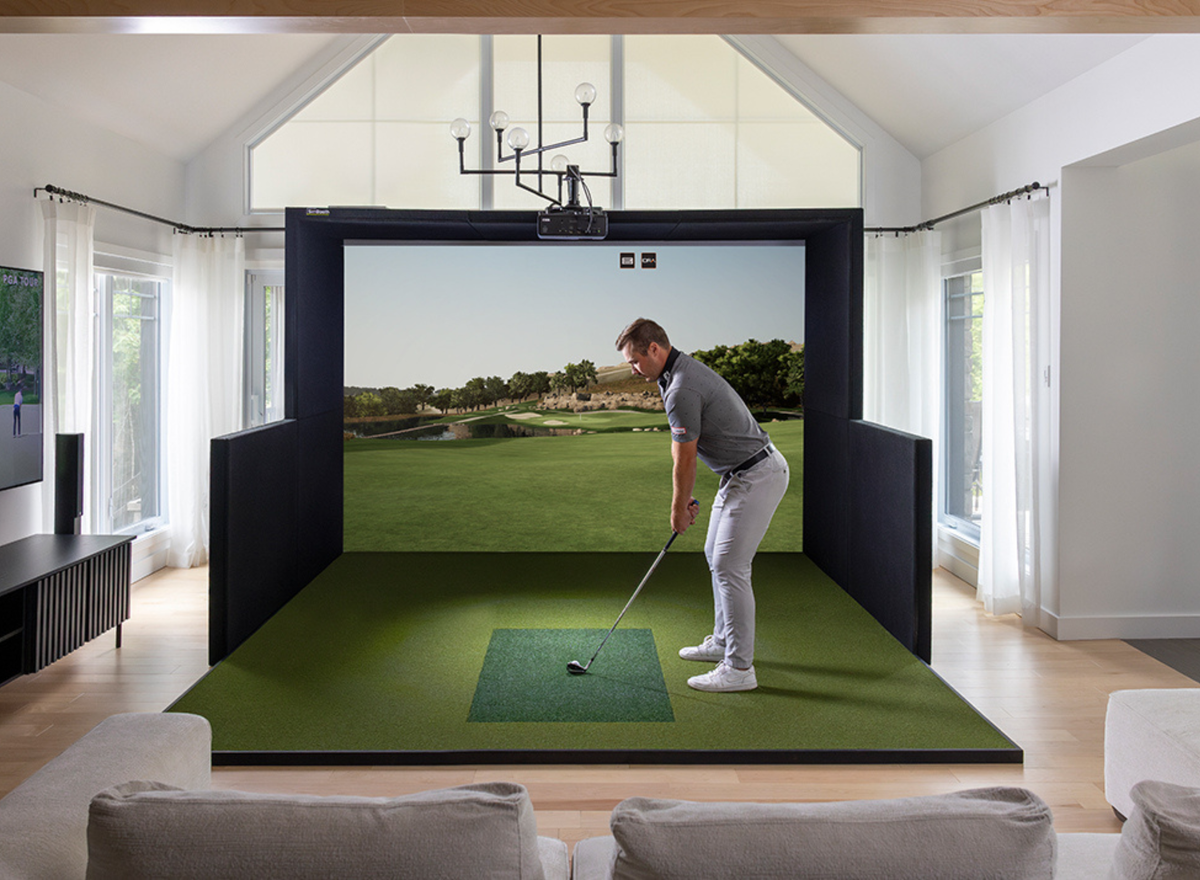
Share:
Build Your Own vs. Pre-Curated Golf Simulator Package: Which Is Right for You?