

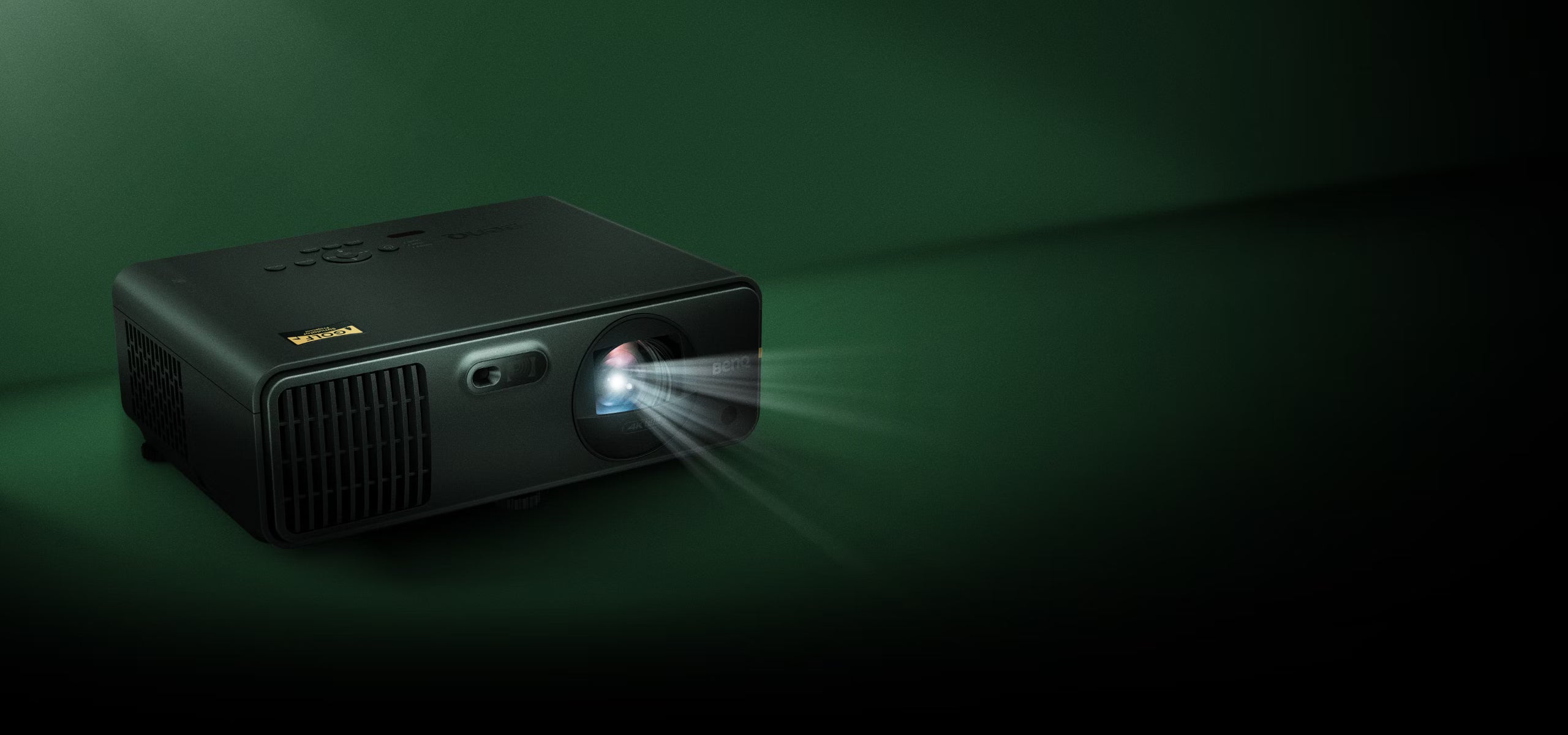
Golf Simulator Projector Guide: How to Choose the Right Projector
Choosing the right projector is one of the most important decisions when building a golf simulator. The projector determines how bright, sharp, and immersive your virtual golf experience will look, but selecting the right model isn't as simple as choosing the highest resolution or brightest projector.
Your room size, screen size, projector placement, ambient light, resolution, throw distance, and budget all play a role in determining which projector is right for your golf simulator.
In this guide, we'll explain everything you need to know about choosing a golf simulator projector, including resolution, brightness, throw distance, short throw projectors, aspect ratios, 4K vs 1080p, laser vs lamp projectors, and how to match a projector to your simulator setup.
Quick Golf Simulator Projector Checklist
Before choosing a projector, consider these key factors:
- Resolution: 1080p or 4K
- Brightness: Measured in ANSI lumens
- Throw distance: How far the projector needs to sit from the screen
- Throw ratio: Determines projector placement
- Screen size: Larger screens require more brightness
- Aspect ratio: 16:9, 16:10, or 4:3
- Room lighting: Ambient light affects image quality
- Projector technology: Laser or lamp
- Mounting: Ceiling, floor, or enclosure-mounted
- Budget: Projectors can range from entry-level to premium
The right combination of these specifications is more important than simply choosing the projector with the highest number of lumens or the most expensive price tag.
What Is the Best Projector for a Golf Simulator?
There isn't one projector that is best for every golf simulator.
The ideal projector depends on your room dimensions and the size and shape of your impact screen.
For example, a projector that works perfectly for a 10-foot-wide 16:9 screen may not be the best option for a 12-foot-wide 4:3 screen.
Generally:
Best for Budget Golf Simulators
A quality 1080p short throw projector can deliver an excellent simulator experience without the cost of a premium 4K model.
Best for Premium Golf Simulators
A 4K short throw laser projector can provide a sharper, more detailed image and a more immersive experience.
Best for Bright Rooms
A higher-lumen projector is typically the better choice when your simulator room has significant ambient light.
Best for Large Screens
Larger screens generally benefit from a brighter projector with sufficient light output to maintain image quality across the entire screen.
What Resolution Do You Need for a Golf Simulator?
Resolution determines how many pixels the projector displays.
The two most common choices for golf simulators are 1080p and 4K.
1080p Golf Simulator Projectors
1080p, or Full HD, remains an excellent choice for many golf simulators.
Advantages include:
- Lower cost
- Good image quality
- Lower PC requirements
- Wide selection of projector options
- Excellent performance for most home setups
A good 1080p projector can provide a bright, sharp image that looks excellent on a properly sized impact screen.
For many golfers, investing in a quality projector with the right brightness and throw distance is more important than simply upgrading from 1080p to 4K.
4K Golf Simulator Projectors
4K projectors provide significantly greater image detail and are an excellent choice for premium simulator builds.
Advantages include:
- Sharper image
- Greater detail
- More immersive course visuals
- Better viewing experience on larger screens
However, a 4K projector typically costs more, and your gaming PC must also be capable of rendering your simulator software at 4K resolution.
If you're investing in a premium golf simulator with a high-end launch monitor and powerful gaming PC, a 4K projector can be an excellent upgrade.
How Many Lumens Do You Need for a Golf Simulator?
Projector brightness is measured in ANSI lumens.
The correct brightness depends on:
- Screen size
- Screen material
- Room lighting
- Projector distance
- Desired image quality
As a general guideline:
Smaller, Darker Rooms
2,500–4,000 ANSI lumens
May be sufficient for smaller screens in rooms with controlled lighting.
Typical Home Golf Simulators
4,000–6,000 ANSI lumens
A good range for many home simulator environments.
Large Screens or Rooms With Ambient Light
6,000+ ANSI lumens
May be beneficial for larger screens or spaces where controlling ambient light is difficult.
More brightness isn't always better. A projector that's too bright for a small, dark room can produce an overly intense image and may not provide a meaningful improvement.
The goal is to balance brightness with screen size and room conditions.
What Is a Short Throw Projector?
A short throw projector is designed to produce a large image from a relatively short distance.
This makes short throw projectors particularly useful for golf simulators.
A standard projector may need to be mounted several feet behind the hitting area. In a golf simulator, that can create problems:
- The golfer may cast a shadow on the screen.
- The golfer may block the projector.
- The projector may be in the path of the golf swing.
- The image may not fit properly in the available room.
A short throw projector can often be mounted closer to the screen, helping reduce shadows and maximize available space.
For most dedicated golf simulator installations, a short throw projector is an excellent starting point.
What Is Throw Distance?
Throw distance is the distance between the projector lens and the projection screen.
Every projector has a specific throw ratio, which determines how large an image it can produce from a given distance.
For example, a short throw projector may be capable of producing a large image while mounted relatively close to the screen.
This is extremely important when planning your simulator.
Before purchasing a projector, you need to know:
- Your screen width
- Your screen height
- Your projector's throw ratio
- The available mounting distance
- The desired image size
A projector that cannot produce your desired image size from your available mounting location may not be suitable for your simulator.
What Is the Best Projector Throw Distance for a Golf Simulator?
There is no universal throw distance because every room and screen configuration is different.
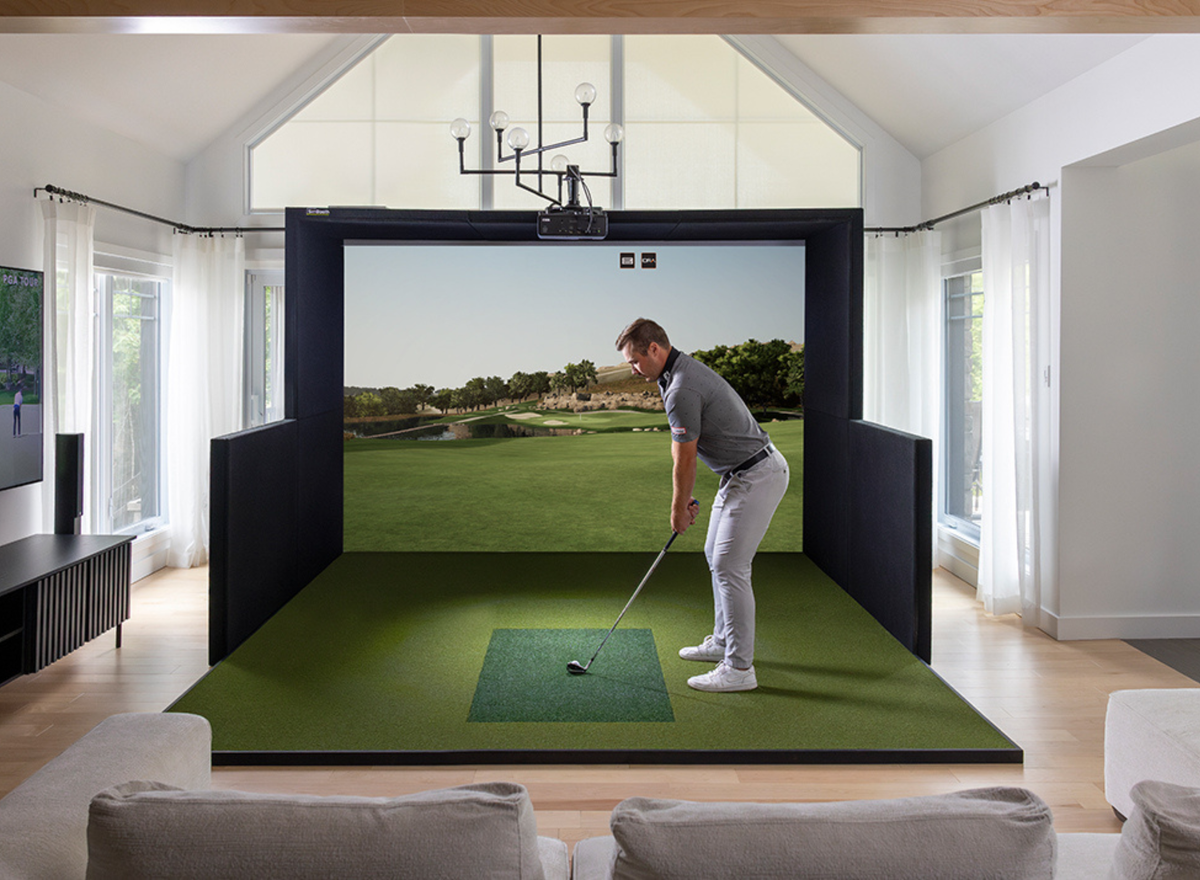
For most golf simulators, the projector is mounted:
- Above or slightly behind the hitting area
- Close enough to minimize shadows
- Far enough away to produce the desired image size
- In a position that avoids interfering with the golf swing
Ultra-short throw projectors can be mounted extremely close to the screen, while short throw projectors typically require more distance.
The correct choice depends on your room and screen dimensions.
What Aspect Ratio Should a Golf Simulator Projector Use?
Aspect ratio describes the shape of the projected image.
Common options include:
- 16:9
- 16:10
- 4:3
16:9
16:9 is one of the most common formats for modern golf simulator setups.
It works well with:
- Widescreen golf simulator software
- 1080p resolution
- 4K resolution
- Home entertainment
It's often a good choice for golfers who want their simulator to double as a home theater or entertainment space.
4:3
A 4:3 image is taller relative to its width.
This can be beneficial for golf simulators with wider impact screens where maximizing the available screen area is more important than maintaining a traditional widescreen format.
The best aspect ratio depends on your screen dimensions and the simulator software you're using.
Should You Choose a Laser or Lamp Projector?
Modern golf simulators commonly use either laser or lamp-based projectors.
Laser Projectors
Laser projectors are increasingly popular for permanent golf simulator installations.
Advantages include:
- Long operating life
- Consistent brightness
- Minimal maintenance
- Fast startup and shutdown
- No lamp replacements
For a simulator that will be used frequently, a laser projector can be a worthwhile long-term investment.
Lamp Projectors
Lamp projectors can offer excellent image quality at a lower initial price.
However, lamps eventually need to be replaced, and brightness can decrease over time.
Lamp projectors may make sense for golfers who want to keep the initial cost of their simulator lower.
How Much Does a Golf Simulator Projector Cost?
Projector pricing varies significantly depending on resolution, brightness, technology, and brand.
Budget
$1,000–$2,000
Good options for basic 1080p simulator setups.
Mid-Range
$2,000–$4,000
More brightness, better optics, and improved performance for dedicated simulator rooms.
Premium
$4,000+
High-end 4K laser projectors designed for premium home and commercial simulator installations.
Remember that the projector is only one part of your visual system. Your gaming PC, impact screen, room lighting, and projector placement all affect the final image.
Projector Recommendations for Golf Simulators
At PinPoint Golf Sims, we offer projector options designed for a variety of simulator environments.
BenQ Golf Simulator Projectors
BenQ offers a range of projectors well suited to golf simulator applications.
Depending on your setup, options may include:
- BenQ LH600ST+ – A short throw option for 1080p simulator setups.
- BenQ AH700ST – A high-brightness short throw option designed for demanding simulator environments.
- BenQ AK700ST – A premium 4K short throw projector for high-end golf simulator builds.
- BenQ LK936ST – A premium highest lumen 4K short throw projector for high-end to commercial grade golf simulator builds.
The right model depends on your screen size, room dimensions, mounting location, and desired resolution.
What Projector Should You Choose for Your Golf Simulator?
Choose a 1080p projector if:
✔ You're building a budget or mid-range simulator.
✔ You want excellent image quality without a premium 4K price.
✔ Your gaming PC is designed for 1080p performance.
✔ Your screen size and room don't require a higher-resolution setup.
Choose a 4K projector if:
✔ You're building a premium simulator.
✔ You have a powerful gaming PC capable of running 4K graphics.
✔ You want maximum image detail.
✔ You're using a large screen where additional resolution is noticeable.
Choose a short throw projector if:
✔ Your room has limited depth.
✔ You want to minimize shadows.
✔ The projector needs to be mounted close to the screen.
✔ You want to maximize your available simulator space.
Choose a laser projector if:
✔ Your simulator will be used frequently.
✔ You want minimal maintenance.
✔ You prefer consistent brightness over the life of the projector.
✔ You're building a permanent installation.
Common Golf Simulator Projector Mistakes
1. Choosing a Projector Before Measuring the Room
Always determine your screen size and projector mounting location first.
Your room dimensions should influence your projector selection—not the other way around.
2. Focusing Only on Lumens
More lumens doesn't automatically mean a better projector.
Brightness needs to be matched to your screen size and room lighting.
3. Ignoring Throw Distance
A projector may have excellent specifications but still be unsuitable if it can't produce the desired image from your mounting location.
4. Buying 4K Without a Capable PC
A 4K projector won't deliver its full potential if your gaming PC can't render your simulator software at 4K.
5. Choosing the Wrong Aspect Ratio
Your projector and screen should work together.
An incorrect aspect ratio can result in unused screen space or an image that doesn't fill your impact screen properly.
6. Forgetting About Shadows
A projector mounted too far forward can create shadows from the golfer or club.
Proper projector placement is essential for a clean, immersive image.
How to Choose a Golf Simulator Projector: Step-by-Step
Step 1: Measure Your Room
Determine:
- Room width
- Room length
- Ceiling height
Step 2: Choose Your Impact Screen
Determine:
- Screen width
- Screen height
- Aspect ratio
Step 3: Determine Your Projector Location
Decide whether the projector will be:
- Ceiling mounted
- Mounted above the hitting area
- Mounted behind the golfer
- Mounted closer to the screen
Step 4: Choose Your Resolution
Decide between:
- 1080p
- 4K
Step 5: Choose Brightness
Consider:
- Screen size
- Room lighting
- Screen material
Step 6: Check Throw Distance
Confirm that the projector can produce your desired image size from your planned mounting location.
Step 7: Match Your PC
Make sure your gaming PC can support the resolution and graphics settings you plan to use.
Frequently Asked Questions
What is the best projector for a golf simulator?
The best projector depends on your room, screen size, resolution, and budget. A short throw projector is often ideal for golf simulators because it can produce a large image from a relatively short distance.
How many lumens should a golf simulator projector have?
Many home golf simulators perform well with approximately 4,000–6,000 ANSI lumens, while larger screens or rooms with ambient light may benefit from 6,000 lumens or more. The ideal brightness depends on the screen size and room conditions.
Is 4K worth it for a golf simulator?
For premium golf simulators, 4K can provide a sharper and more immersive image, especially on larger screens. However, you'll also need a gaming PC capable of rendering your simulator software at 4K.
Do I need a short throw projector for a golf simulator?
Not necessarily, but short throw projectors are often preferred because they can be installed closer to the screen, helping reduce shadows and making them easier to fit into rooms with limited depth.
Is laser better than lamp for a golf simulator?
Laser projectors generally offer longer operating life, consistent brightness, and less maintenance, making them an excellent choice for frequently used permanent simulator installations. Lamp projectors can provide excellent performance at a lower upfront cost.
Final Thoughts
Choosing a golf simulator projector isn't simply about finding the brightest or most expensive model. The best projector is the one that matches your room, screen, mounting location, resolution, and budget.
For many home golf simulators, a 1080p short throw projector provides an excellent balance of performance and value. Premium setups may benefit from a 4K short throw laser projector, especially when paired with a powerful gaming PC and a large impact screen.
If you're unsure which projector is right for your golf simulator, start with your room dimensions and screen size. From there, you can determine the ideal throw distance, resolution, and brightness.
At PinPoint Golf Sims, we can help you choose a projector that works with your entire simulator setup—not just a projector that looks good on paper. Our team can help match your projector, screen, launch monitor, enclosure, PC, and turf to create a complete system designed for your space and budget.

Share:
Best Golf Simulator Software (2026): GSPro vs E6 Software vs Awesome Golf vs Trackman vs FSX Play
10 Golf Simulator Mistakes to Avoid Before You Buy (2026 Buyer's Guide)