

How Much Does A Golf Simulator Cost In Canada?
If you’ve started pricing a golf simulator in Canada, you’ve probably noticed two things right away: the range is huge, and most “estimates” don’t tell you what you actually need to buy. One person says you can get started for a couple grand. Another shows a dream room north of $50,000. Both can be true.
The real answer is this: a golf simulator in Canada typically costs anywhere from about $2,000 CAD for a basic net-and-launch-monitor setup to $50,000+ CAD for a premium, fully built room. Most golfers building at home land in the $5,000–$15,000 CAD range once they include the essentials.
Where budgets go sideways is usually simple: people price the launch monitor (the exciting part), then forget the impact screen or net, projector, hitting surface, computer requirements, and software fees. This guide breaks it all down in plain terms, with real-world CAD examples.
The Quick Price Ranges In Canada (CAD)
Most builds fall into one of these bands:
Entry-Level: $2,000–$5,000 CAD
Usually a portable launch monitor plus a hitting net and a basic mat. You can use a TV, tablet, or phone instead of a projector.
Mid-Range: $5,000–$15,000 CAD
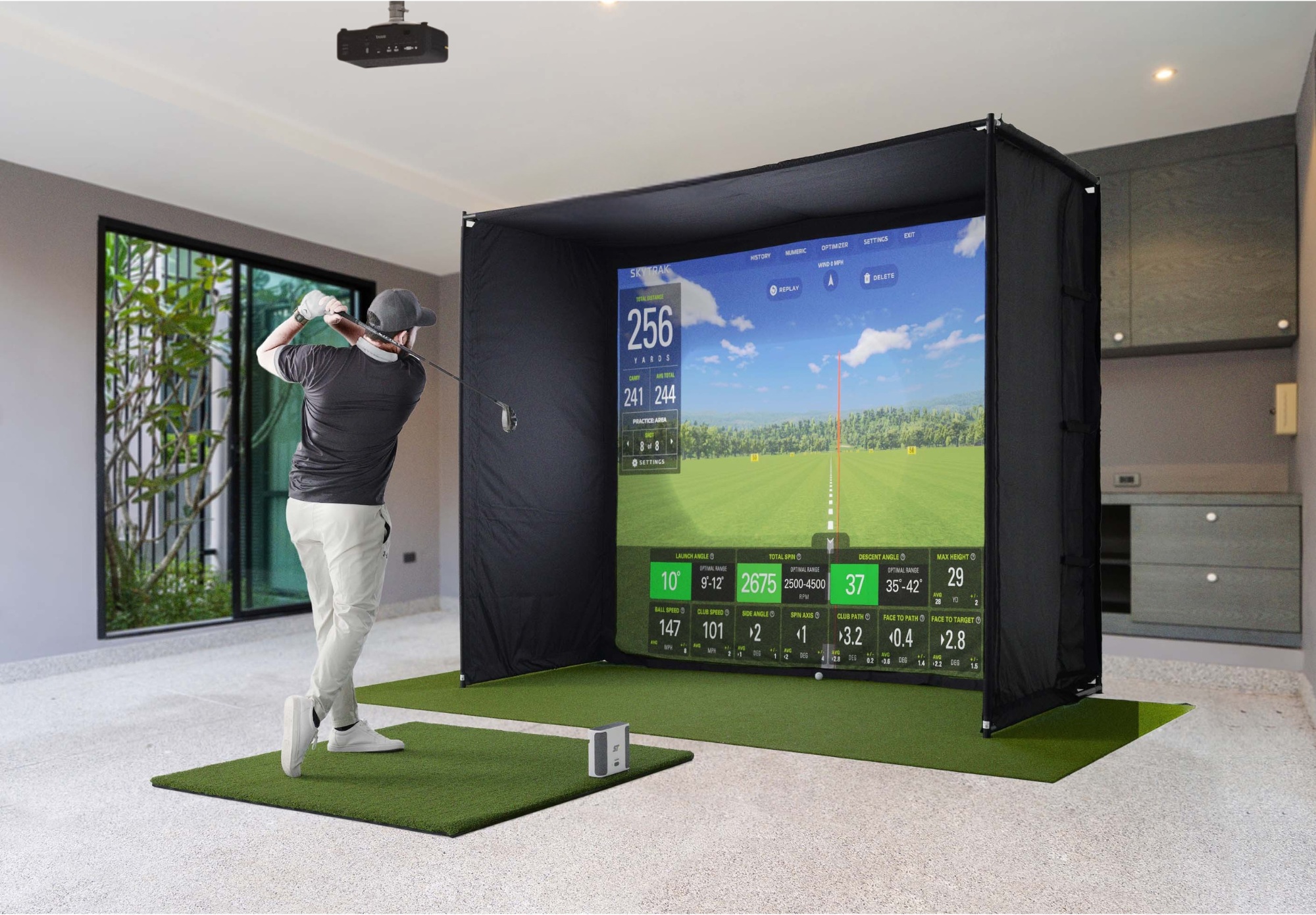
The “most common” home setup. Typically includes a mid-tier launch monitor, an enclosure with an impact screen, a short-throw projector, and a proper hitting surface.
High-End: $15,000–$30,000+ CAD
Premium launch monitors, more polished enclosures, upgraded projectors, and often a stronger PC/software stack.
Luxury / Custom Room: $30,000–$50,000+ CAD
Full-room buildouts, premium hardware, custom finishing, and a fully integrated experience.
The trick is picking the band that matches your space, expectations, and how you’ll actually use the sim.
What Drives Golf Simulator Cost The Most
A simulator isn’t one product. It’s a system, and the biggest price swings come from a few key choices.
Launch Monitor: The “Brains” Of The System
The launch monitor is usually the largest single line item. It’s also the part that determines how much you’ll enjoy practice and how confident you’ll feel in the data.
Portable units are often more budget-friendly and flexible. Higher-end systems tend to deliver more detailed feedback, stronger indoor performance, and a more “studio” feel—at a price.
Screen/Enclosure Vs Net: Immersion And Safety
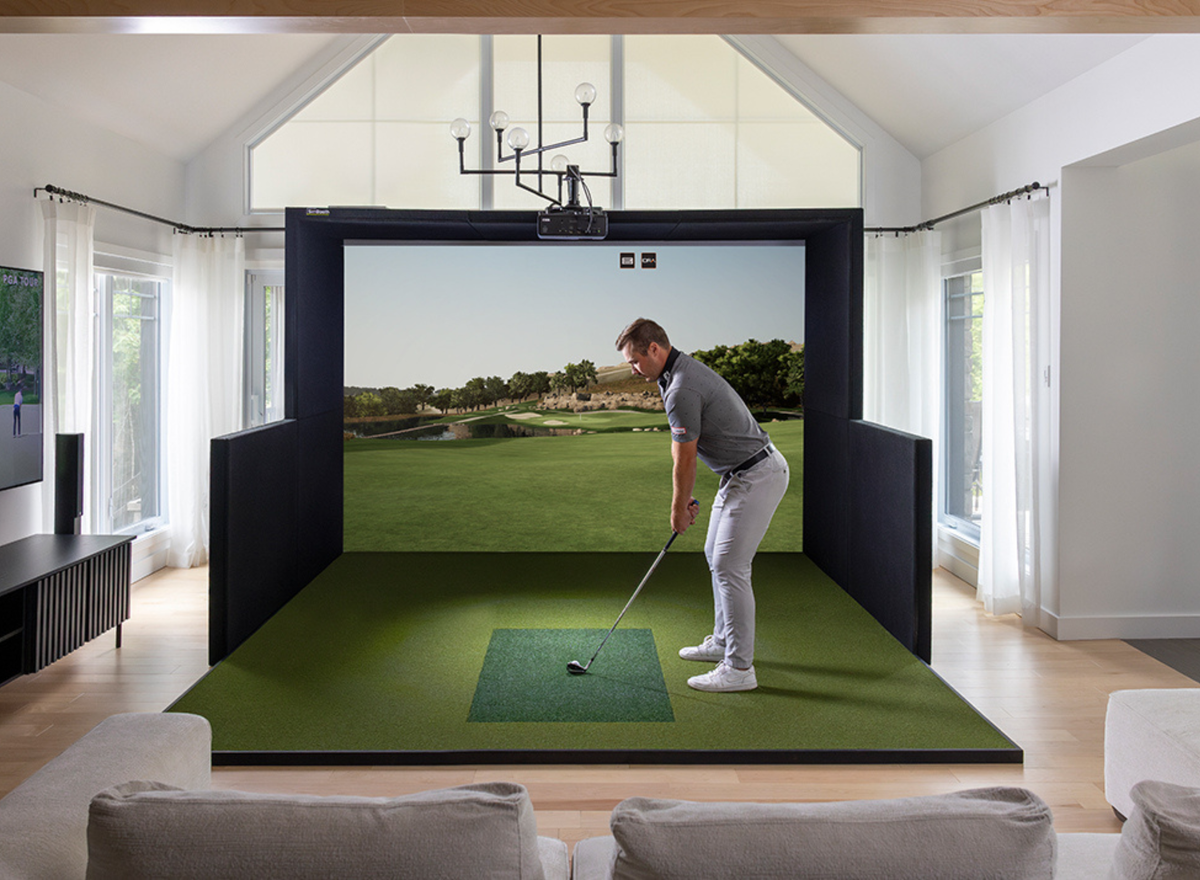
A net setup can be a great way to start, especially if you’re still figuring out your space. An enclosure and impact screen becomes worth it when you want the full experience: projected courses, a cleaner look, and a more contained hitting area.
Projector: The Upgrade That Changes The Experience
If you want to play a simulator like a simulator, a projector makes the difference. Short-throw projectors are common because they can sit closer to the screen and avoid shadows. You can keep things simpler with a TV, but a projector is what gives you the “walk in and play” feel.
Hitting Mat And Turf: Comfort And Realism
This is the part people under-budget and then replace later. The hitting surface affects comfort, joint strain, realism, and how confident you feel hitting full shots indoors.
Computer And Software: The Quiet Requirements
Depending on your system, you may need a capable PC or gaming laptop, plus software that may include an annual subscription. This is where “I already have a laptop” can be true—or can turn into a mid-project surprise.
Golf Simulator Cost Breakdown In Canada (CAD)
Here’s the clean way to think about simulator pricing: add up the essentials, then decide what level of experience you want.
Typical Component Costs (CAD)
|
Component |
Typical Cost Range (CAD) |
What Changes The Price Most |
|
Launch Monitor |
$800 – $20,000+ |
Accuracy level, indoor performance, data depth |
|
Net Or Enclosure |
$600 – $2500+ |
Net size, screen quality and durability |
|
Enclosure (Optional) |
$2,000 – $6,000+ |
Size, finish, retractable designs, included screen |
|
Projector (Optional) |
$400 – $5,000 |
Short-throw needs, brightness, resolution |
|
Hitting Mat / Turf |
$400 – $1,500+ |
Feel, durability, joint comfort, stance area |
|
Simulator PC/Laptop (Optional) |
$1,200 – $3,000+ |
GPU requirements, stability, future-proofing |
|
Software / Subscriptions |
$0 – $1,200+ per year |
Course access, analytics features, licensing model |
|
Mounts, Cables, Accessories |
$150 – $800 |
Projector mount, ceiling hardware, protective add-ons |
A useful rule: if you want a full projector-and-screen experience at home, it’s often the enclosure/screen + projector + hitting surface that add up quickly. That’s why a “monitor-only” budget can feel misleading.
Three Canada-Friendly Example Builds Using Real PinPoint Prices
To make this practical, here are three builds that show what the numbers look like using real pricing you can shop today.
Example 1: The “Great Start” Net-Style Build (Budget-First)
This is the setup for golfers who want indoor practice without turning a room into a permanent sim bay.
What it usually includes
A portable launch monitor
A hitting net
A basic hitting mat
Your phone/tablet/TV for display
Why it works
You keep the experience simple and flexible. No projector needed. No enclosure required. If you’re learning what you want from a simulator, this is often the lowest-risk path.
What it costs
Most Canadian net-style builds come in around $2,000–$5,000 CAD, depending on which launch monitor you choose and how robust your net and mat are.
What to watch
The most common regret at this level is going too cheap on the mat. If the hitting surface feels harsh or inconsistent, you stop using it. A simulator you don’t use is the most expensive simulator.
Example 2: The Mid-Range Home Studio Build (Best Value For Most Golfers)
This is the “most common” home simulator category: you want a real impact screen experience without going full custom.
Here’s a straightforward example built around current PinPoint pricing:
SkyTrak ST+ Launch Monitor: $3,995 CAD
SimSpace Enclosure SIM/002: $2,450 CAD
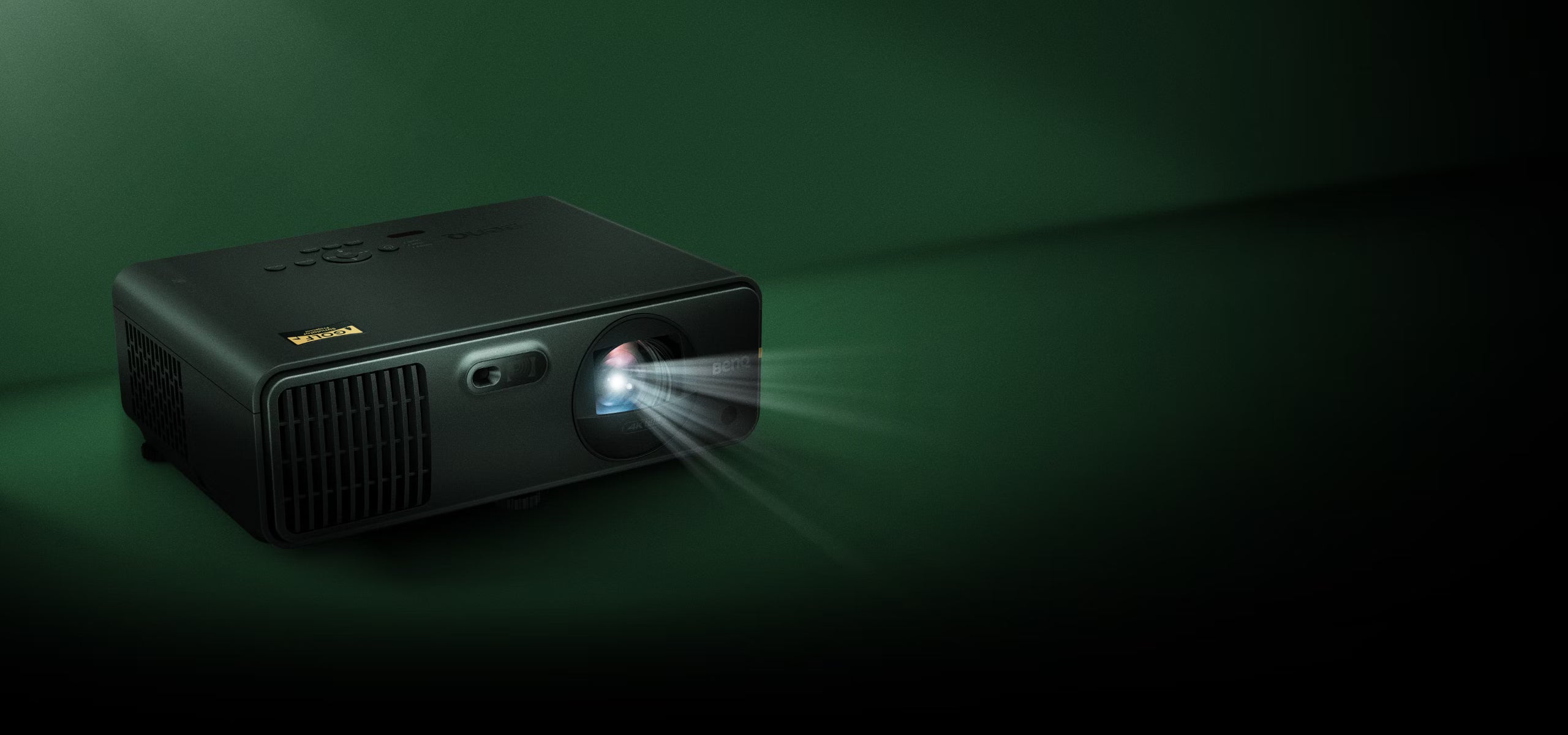
BenQ LH600ST+ Short Throw Projector: $1,739.99 CAD
Even before mats and accessories, that puts the core of the experience at roughly:
$3,995 + $2,450 + $1,739.99 = $8,184.99 CAD
Now you add:
A hitting mat/turf (commonly $400–$1,500 CAD depending on what you choose)
Optional PC/laptop if required for your software setup
Mounts and accessories
This is why many “real” mid-range home builds end up in the $8,500–$13,500 CAD neighbourhood, depending on how you finish it.
Why this level is popular
You get a clean, immersive setup that feels like a simulator, not a compromise. It’s also the tier where you can scale up thoughtfully—bigger enclosure, upgraded projector, stronger mat—without rebuilding from scratch.
Example 3: A Premium Performance Build (Serious Practice + Experience)
Premium builds are about one thing: you want the most reliable, high-quality experience possible indoors, and you’re willing to pay for it.
A simple anchor point here is:
Trackman iO Home: $17,995 CAD
At this tier, the launch monitor alone can exceed the total cost of an entry-level setup. You’ll also typically plan for:
A more premium enclosure/screen
A strong projector solution
A reliable PC/software environment (depending on your software needs)
Ongoing software/subscription costs
What premium money buys
Higher confidence in data
More polished overall experience
A setup that feels purpose-built, day after day
If you’re using your simulator heavily for practice or coaching, this tier can make sense because it reduces friction. You use it more because it’s consistently good.
Package Pricing: When Bundles Beat DIY
A lot of Canadian buyers want the simplest answer to “what should I buy?” and that’s where packages can help. They remove the “compatibility guesswork” and get you to a working simulator faster.
Two real examples you can use as reference points:
SkyTrak ST+ Studio 10' Package: $9,634 CAD
SkyTrak ST+ Studio 12' Package: $9,684 CAD
If you like the idea of pricing a simulator as one number rather than a checklist of parts, packages are often the cleanest route. You can still customise around them (mat preferences, mounting choices, room finishing), but the core system is handled.
The Hidden Costs Canadians Should Plan For
Even a well-priced simulator can creep up if you don’t plan for a few common add-ons.
Room Prep And Mounting
You may need minor changes like:
Better lighting control
Wall/ceiling protection in the hitting zone
Projector mounting hardware
A clean cable run so the space stays tidy
Some spaces need nothing. Others need a little tuning. The difference is often the “last 10%” that turns a simulator from functional to enjoyable.
Software And Subscriptions
Software pricing varies. Some setups work with basic options, while others unlock deeper analytics and more course libraries through annual plans. Budgeting for ongoing costs avoids the surprise of “everything works, but I can’t access what I want.”
Wear Items Over Time
Mats and screens are made to take impact, but they’re still wear items. If you use your sim regularly, planning for eventual replacement is simply being realistic.
How Much Space Do You Need For A Golf Simulator?
Space is the second most important factor after your goals.
A practical starting point for many home builds is:
Ceiling height: around 10 feet is commonly recommended for comfortable full swings (especially for taller golfers or longer clubs)
Width and depth: enough to swing safely and place the screen/net at a safe distance
You don’t need a mansion. You do need a realistic plan. Tight spaces can still work, but they may influence which launch monitor type makes the most sense, how you position the hitting area, and whether a projector is practical.
A simple approach: measure your room, then build the simulator around the space—not the other way around.
How To Save Money Without Regretting It?
There’s a smart way to do “budget-friendly,” and a painful way.
You can often save money by:
Starting with a net setup and upgrading later
Choosing a solid 1080p projector instead of chasing 4K immediately
Keeping accessories minimal until the core experience is working
Where you usually shouldn’t cut corners:
The hitting mat (comfort and consistency matter)
Safety (screen/net quality and containment)
Component compatibility (a mismatched setup costs more in the long run)
The goal is to spend less where it’s easy to upgrade later and spend properly where replacement is expensive or annoying.
Common Buying Mistakes (And How To Avoid Them)
Most frustrations come from planning out of order.
Mistake 1: Buying the launch monitor before planning the space
You want the monitor that fits your room realities and how you’ll hit indoors.
Mistake 2: Underestimating the projector and mounting plan
Projector choice depends on throw distance and placement. A great projector in the wrong position becomes a constant annoyance.
Mistake 3: Treating the mat as an afterthought
If your body doesn’t like the hitting surface, you don’t practice. Simple as that.
Mistake 4: Forgetting the “whole system” experience
A simulator is the sum of small decisions. The best builds feel effortless because the parts were chosen to work together.
How To Price Your Setup In 5 Minutes?
Here’s a quick way to land on a realistic number without overthinking it.
First, choose your experience level:
Practice-first net setup (no projector)
Full simulator bay (impact screen + projector)
Then:
Pick your launch monitor tier based on goals
Confirm your space constraints (ceiling height, width, depth)
Decide net vs screen + enclosure
Add projector if you want the full experience
Add mat/turf and the essentials
Include software/annual costs if applicable
Add a small buffer for mounts/accessories
If you do this in order, your budget becomes predictable.
FAQs
How Much Does A Golf Simulator Cost In Canada?
Most builds range from $2,000–$5,000 CAD for entry-level net setups to $5,000–$15,000 CAD for common home simulators, with premium builds reaching $15,000–$50,000+ CAD.
What Is The Minimum Budget For A Usable Setup?
A practical minimum is usually around $2,000 CAD, assuming you’re doing a net-based setup with a portable launch monitor and a basic mat.
What Is The Most Expensive Part Of A Golf Simulator?
For most builds, it’s the launch monitor. Premium monitors can cost more than the rest of the setup combined.
Do I Need A Projector For A Golf Simulator?
No. If your goal is indoor practice and shot tracking, you can start with a net setup and display results on a phone/tablet/TV. A projector is for the full “play on the screen” simulator experience.
How Much Does Golf Simulator Software Cost Per Year?
It depends on your hardware and what you want to access. Some setups work without annual fees, while others use subscriptions that can run a few hundred to over a thousand dollars per year.
How Big Does A Room Need To Be?
Many home setups aim for around 10 feet of ceiling height with enough width and depth to swing safely and place the net or screen at a safe distance. If your space is tight, you can still build a simulator, but your hardware choices may change.
Is A Golf Simulator Worth It In Canada?
If you’ll use it consistently, a simulator can be one of the best off-season investments a Canadian golfer can make. The “worth it” factor usually comes down to how often you’ll practice or play, and whether your setup matches your goals.
The Bottom Line: What Should You Budget?
If you want a realistic, enjoyable home simulator in Canada, most golfers should plan around $5,000–$15,000 CAD depending on how immersive you want the experience to feel. If you’re just getting started, a net build can keep things simple and budget-friendly. If you want the full simulator bay experience, plan for the enclosure/screen + projector + proper hitting surface alongside the launch monitor.
At PinPoint Golf Sims, we keep simulator shopping simple: curated gear, Canadian focus, and setups that actually fit your space. If you don’t want to guess your way through compatibility, our Build Your Bundle approach helps you choose the right core components first, then add only what you need to finish the job.
If you’re not sure where to start, build your bundle or start with a package—and you’ll get to “swinging indoors” faster, with fewer surprises.
Share:
Launch Monitor 101: What Does a Golf Launch Monitor Do?
Best Golf Simulator In Canada: How To Choose Yours